InforceDesk is a CRM for independent insurance agents, run by Special Key Technologies LLC. We text our own account holders about their account, and only after they opt in. This page shows where that happens, the exact wording they agree to, and how they stop the texts.
Who gets these texts
Only people who create an InforceDesk account and opt in. These are insurance agents who use our software. We never use this program to text an agent's leads or clients, and we don't send marketing through it. The messages are login codes, security alerts such as a sign-in from a new device, billing and trial notices, and alerts when a new lead or appointment comes into the agent's workspace.
Where people opt in
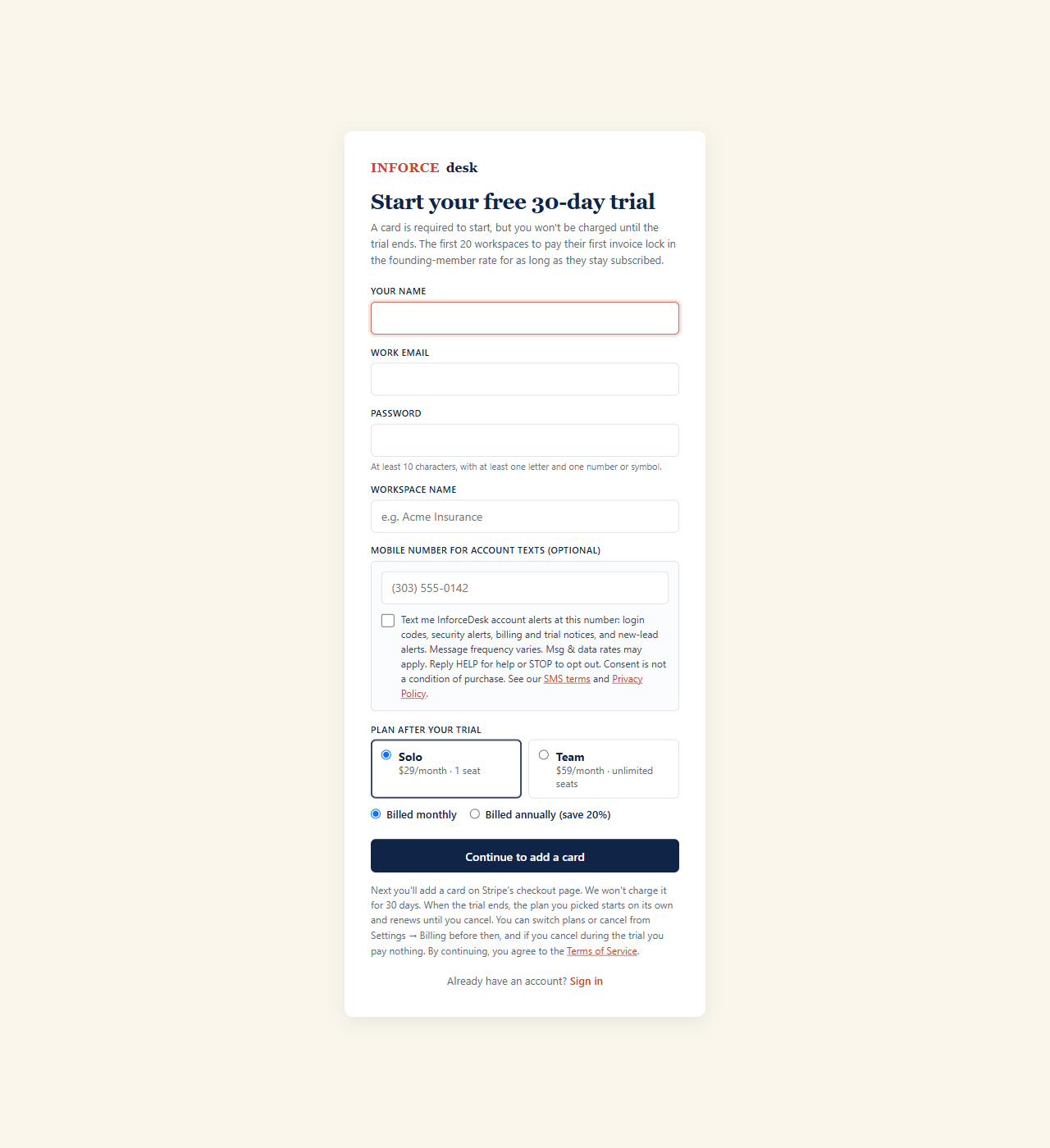
There are two places, and both are optional. The mobile number field is blank and the checkbox is unchecked until the person fills them in, and nobody has to agree to texts to buy or use InforceDesk.
1. When creating an account
The signup form at inforcedesk.com/signup has an optional mobile number field and an unchecked consent box under it. The screenshot below shows the box unchecked, the way every visitor first sees it.
2. In account settings
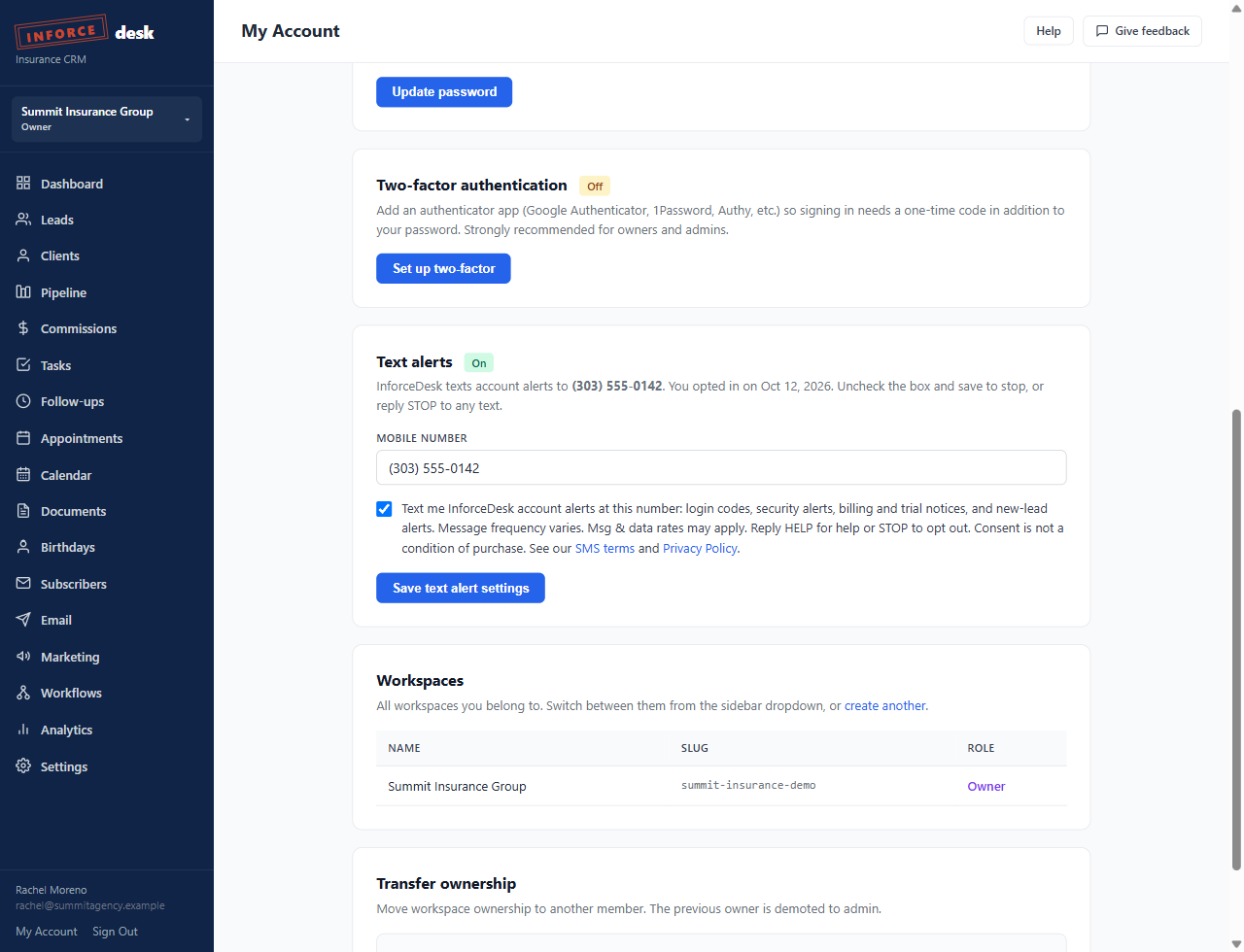
A signed-in user can turn text alerts on or off from the Text alerts card on their My Account page (inforcedesk.com/crm/me). They enter a mobile number, check the same consent box, and save. Unchecking the box and saving turns the texts off. The screenshot shows the card right after a user opted in.
The exact consent language
Both forms show this text next to the checkbox, with links to our SMS terms and Privacy Policy:
When someone opts in, we save the mobile number, the time, where they opted in (signup or account settings), and their IP address on their user account.
Sample messages
Opting out and getting help
- Reply STOP to any message to stop all texts. Reply START to opt back in.
- Uncheck the box on the My Account page and save.
- Reply HELP for help, or email [email protected].
- Message and data rates may apply. How often we text depends on account activity.
No mobile information will be shared with third parties/affiliates for marketing/promotional purposes. All the above categories exclude text messaging originator opt-in data and consent; this information will not be shared with any third parties. We never sell or rent mobile numbers. The full terms are in the Terms of Service and the Privacy Policy.